

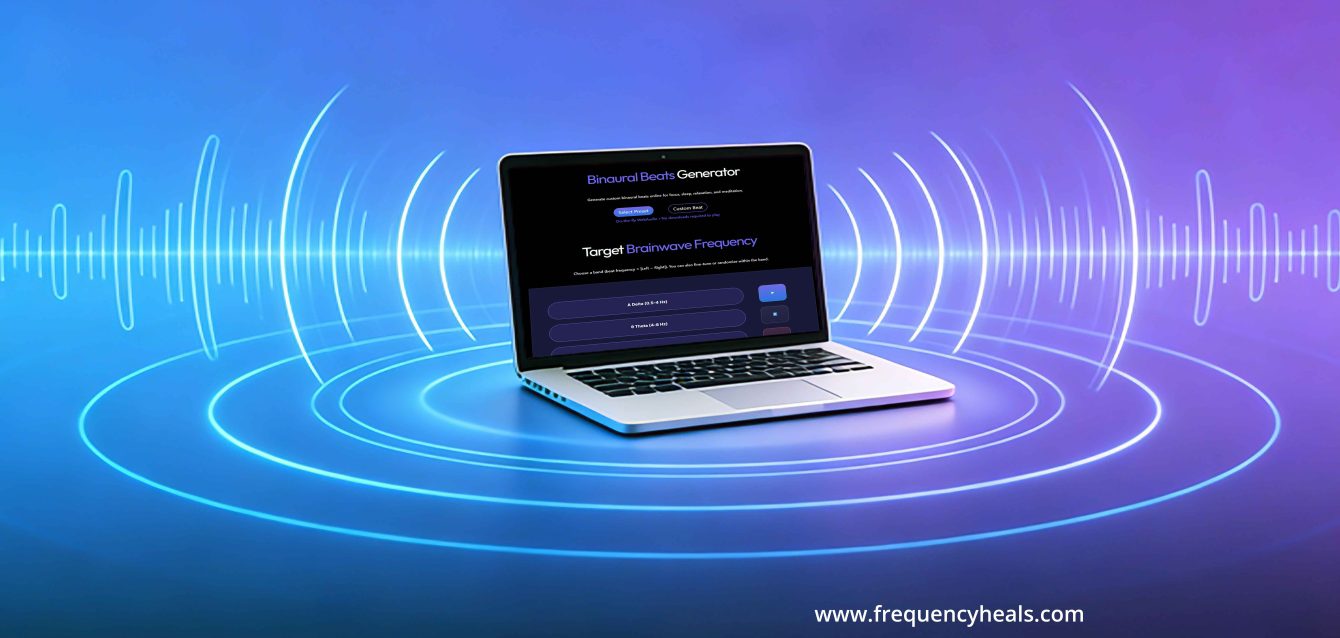
By now you have probably tested our frequency and binaural beats presets, you may wish to try to create your own frequency recipes with our free tools: the Online Tone Generator and the Binaural Beats Generator. If this is completely foreign to you, we invite you to read our Reassuring Beginner’s Guide to Frequency Healing before proceeding. While these tools are quite simple, they may look a little a bit technical at first glance, and this may be intimidating to some. Just read on, and you’ll see how easy they are to use.
Personalize your sessions with our Online Frequency Generator
Online Tone Generator
Generate a precise mixed audio by combining up to 7 different custom frequencies.
Our Multiple Tone Generator enables you to input up to seven healing frequencies and choose among four different waveforms to address several wellness needs at once. While it’s tempting to stack a lot of frequencies and their accompanying waveforms, it might be best to add them one by one so you can get accustomed to the sound and make the right adjustments with the volume and panning (left/right) sliders.
First we will start by selecting the frequencies. You can refer to this PDF, which gives you an idea of some of the Solfeggio and Rife frequencies you can choose from. If there is something that you’d like to work on that’s not on this list, you might find what you need by typing “What sound frequency is good for ________?” in your search engine.
In addition to selecting a frequency, you will also be inputting a waveform. Waveforms are the additional frequencies that accompany a fundamental sound. Each tone can be produced as a sine, square, sawtooth, or triangle waveform. While frequencies will work on specific wellness goals, the waveform will either enhance or attenuate these frequencies. Here’s a look at how different wave forms can affect outcomes:
- Sine waves are smooth and gentle, and are a good overall first choice for your first frequency sessions. They promote relaxation and cellular healing.
- Triangle waves are similar to sine waves, but are more linear, and with sharp peaks and troughs. These provide a steady frequency transmission that aids in cellular and tissue repair.
- Square waves deliver rapid bursts of energy and good for pain relief and muscle activity.
- Sawtooth waves have a sharp ascending and descending shape which allows for a range of frequencies to be delivered, making them quite versatile. They can help frequencies work on cellular renewal, detoxification and improving circulation.
Say you want to work on improving your sleep. Looking at the chart, you would see that there are several Solfeggio and Rife frequencies in this category. So the first input could be (Solfeggio) 423 Hz for deep sleep. Once the waveform has been selected, you can test it out. Use the On/Off toggle to start or pause playback, adjusting the volume and panning as needed (generally, the panning will remain in the middle of the slider). Then you can layer, or stack, other frequencies by clicking on “Add a tone” at the bottom of the table, adding such frequencies as (Solfeggio) 528 Hz to help fall asleep and (Rife) 20 Hz or 120 Hz to regulate sleep patterns.
Once you have selected all the parameters for your stacked frequency session, you can hit the “record” button (you will see the red dot indicating that it’s being recorded), and stop whenever you wish. Then you can download the session onto your device.
Creating your own Binaural Beats recordings
Binaural Beats Generator
Design your own binaural beats audio to aid in focus, relaxation, or meditation.
If you go to the Binaural Beats generator, you will also see two options: preset and custom beat. As you are probably now familiar with the Binaural Beats presets from the Beginner’s Guide, we will be focusing just on customizing your session.
When you click on custom beat, you will be taken to two slider tuners for the left/right carrier frequencies. These will create the foundational pitch that “carries” the binaural beat and will help make your sound frequency session comfortable. As with the preset program, you will be fine tuning the sliders for each ear, but now you will be working with a wider range range of frequencies (100 Hz- 500 Hz). However, we’re still focusing on the difference between these frequencies to obtain the desired binaural beat which will take you to your wellness goal. For example, to create a 10 Hz beat, you could use carriers of 174 Hz and 184 Hz, or 440 Hz and 450 Hz. The beat is the same, but the underlying sound will be different.
Once you hit “play”, scroll down a little to set a customized time for your recording, then hit the “record” button. Once the recording is done, you can save it by hitting the “download audio” button. You will first need to submit your email to Frequency Heals as a free subscriber, but once you have done that, all subsequent recordings will appear to be saved on your computer.
A word of caution: While Binaural Beats are generally regarded as safe, some precautions should be taken. This especially applies to those who have certain pre-existing conditions such as pregnancy, seizure disorders or PTSD. Likewise, those wearing implanted electronic devices like pacemakers should seek the advice of a medical professional familiar with this modality.
It is also not advisable to be listening to the more relaxing Delta and Theta waves in settings where you have to be alert, such as when driving a car.
There are no hard-and-fast rules for using frequencies, which why we recommend having some structure in using them: be consistent and keep a log of your sessions, noting the goal, the modality, the frequencies used, and the outcomes. It’s good to know that you are not alone in your journey- online platforms house dozens of user support groups offering anecdotal testimonies and suggested protocols. Over time, you will see that frequencies are second nature in your wellness routine.








Comments
Este es un súper canal de frecuencias aplicadas a la mejora de condiciones de salud. Felicidades a los creadores de este fabuloso canal.
Gracias siempre.
Gregorio Arenas
Muchas gracias, Gregorio 😊💙
Nos alegra mucho saber que disfruta del contenido y de este canal de frecuencias. Sus palabras y apoyo significan mucho para nosotros 🌿 Gracias por acompañarnos en este camino de exploración y bienestar.
Le enviamos nuestros mejores deseos y muchas bendiciones 🙏💙
I am grateful to be a recipient of the frequency healing sessions and would love to continue receiving updates. Many thanks.
Hi Pauline 💜
Thank you so much for your kind message. 😊
We’re happy to see that you have already subscribed to our updates. You’ll continue receiving our latest frequency sessions, articles, and community news as we share more content. 🎧✨
Thank you for being part of the Frequency Heals community. We truly appreciate your support and look forward to sharing more resources with you. 💙